


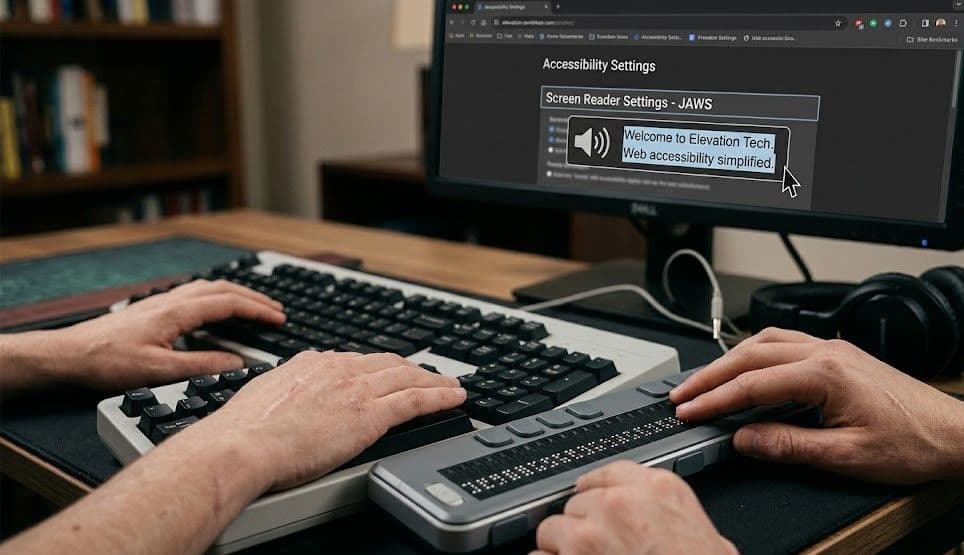
Imagine visiting a website…but you can’t see it. For millions of people worldwide, that’s the reality and screen readers are their bridge to the online world.
In 2026, making your website accessible to screen readers isn’t just the right thing to do...it’s essential for your business growth, SEO, and legal compliance.
Let’s explore how screen readers work, why they matter more than ever in 2026, and the exact steps to make your site both accessible and awesome.
1. What Is a Screen Reader and How Does It Work?
A screen reader is software that reads aloud the text on a webpage and describes elements like images, buttons, and links. It allows people with visual impairments or reading disabilities to navigate websites using:
- Keyboard commands (no mouse needed)
- Voice prompts
- Braille displays for tactile reading
Popular Screen Readers in 2026:
- JAWS (Job Access With Speech)
- NVDA (NonVisual Desktop Access)
- VoiceOver (built into Apple devices)
- TalkBack (built into Android devices)
SEO Connection: Search engines crawl your site very similarly to how screen readers interpret it. If a screen reader struggles, so will Google’s indexing bots.
2. Why Accessibility Is a Game-Changer in 2026
A. Bigger Audience Reach
In the U.S. alone, over 8 million people have vision impairments. Globally, that number skyrockets to hundreds of millions. An inaccessible website shuts out potential customers.
B. SEO Boost
Google rewards accessible websites because they provide a better user experience. Accessibility features, like proper headings, alt text, and structured data, also help search engines understand your content.
C. Legal Compliance
ADA (Americans with Disabilities Act) lawsuits for inaccessible websites are rising each year. Accessibility compliance now protects your brand legally as well as ethically.
3. The Most Common Screen Reader Mistakes Businesses Make
- Missing Alt Text on Images
Without alt text, screen readers can’t describe images—users hear “image” instead of “beautiful hand-crafted coffee mug.” - Non-Descriptive Link Text
“Click here” means nothing to a screen reader user. Instead, use descriptive links like “View our coffee collection.” - Poor Heading Structure
Skipping from an H1 to an H4 can confuse navigation. Screen readers rely on proper heading hierarchy. - Buttons Without Labels
A button without an aria-label might read as “button” instead of “Add to Cart.” - Text in Images
Screen readers can’t interpret text embedded in images. Always pair with a text alternative.
4. How to Make Your Website Screen-Reader Friendly in 2026
Step 1: Write Descriptive Alt Text
- Be concise but specific: “Northern Lights over mountain peaks” is better than “mountain image.”
- Include relevant keywords naturally (bonus SEO points).
Step 2: Use ARIA Labels Wisely
Accessible Rich Internet Applications (ARIA) attributes tell assistive tech how to interpret elements. Example:
htmlCopyEdit<button aria-label="Open Contact Form">Contact Us</button>
Step 3: Maintain Proper Heading Structure
- One H1 per page (the main topic)
- Logical H2 and H3 subheadings underneath
- Include keywords in headings for SEO and clarity
Step 4: Ensure Keyboard Navigation
Users should be able to move through your site entirely with the Tab, Shift+Tab, and Enter keys.
Step 5: Avoid Auto-Playing Media
Auto-playing videos or sounds can disorient screen reader users and hurt SEO rankings.
5. Accessibility and SEO: A Win-Win
Here’s why screen reader optimization makes Google love your site:
- Alt text → Better image SEO
- Headings → Clearer content structure for crawlers
- Descriptive links → More keyword-rich internal linking
- Clean code → Faster load speeds and better ranking signals
6. Tools to Test Your Site’s Screen Reader Accessibility
- WAVE Web Accessibility Evaluation Tool
- Google Lighthouse Accessibility Audit
- NVDA (free) for Windows testing
- VoiceOver on Mac/iOS
Pro Tip: Test your site on multiple devices and browsers. Accessibility isn’t one-size-fits-all.
Real-Life Success Story
A local outdoor gear shop worked with Elevation Tech to optimize their website for screen readers. Within 90 days, they saw:
- 37% increase in organic traffic
- 22% more conversions from visually impaired users
- Positive community recognition for accessibility
Conclusion
In 2026, accessibility is no longer optional, it’s a competitive advantage. Optimizing for screen readers means your website is:
- More inclusive
- Better optimized for SEO
- Protected from legal risks
- Loved by your audience and search engines alike
Want to know more about web accessibility? Check out our other blog articles:
- The Ultimate Guide to ADA Compliance
- The Largest Web Accessibility Lawsuits
- Why Website Accessibility is a Non-negotiable in 2025
🌌 Let’s make your site as accessible and beautiful as the Northern Lights. Contact Elevation Tech today for a full accessibility audit.